 kurio
TL;DR
Kurio is an AI learning platform.
Bring your study materials and learn with a tutor you can talk to. Kurio connects explanations, interactive lessons, practice, and your progress in one workspace. Its live canvas can draw diagrams and build 3D scenes while the tutor explains what you are seeing.
The problem with a traditional chatbot
A chatbot can give you a useful answer. Studying a whole subject takes more work. You need to follow your materials, check your understanding, and remember where you left off.
In a basic chat, much of that work falls on you.
The answer can miss your sources
An explanation might sound right while missing the terms, examples, or methods used in your course. Without a connection to your study materials, you have to keep checking whether the answer fits what you need to learn.
The lesson stays in the conversation
Sometimes another paragraph helps. Sometimes you need to see how the parts connect, watch a process unfold, or turn a model around to understand its shape.
A text conversation leaves you to find or build those visual explanations yourself.
Practice becomes another task
You can ask a chatbot for questions. But organizing them into a mock test, keeping an answer guide, and coming back to your results takes more work.
It is easy to finish a conversation feeling that something makes sense without having a way to check your understanding.
You keep explaining your progress
When your study history lives in separate chats and documents, you have to explain what you have covered and where you got stuck. A tutor needs that context to give you a useful next step.
The problem we are solving
We want to make it easier to stay with a subject from the first question through to practice and review.
In Kurio, you bring your notes, documents, webpages, or recordings into a workspace. The tutor can use those materials to explain a topic and help you work through it. You can return to the original sources whenever you need to check a detail.
Your conversations, learning paths, and practice history stay with that workspace. The tutor can use your previous questions and results to understand what you have worked on and what needs more attention.
When you are ready to practise, you can generate flashcards, answer practice questions, or take a mock test based on your materials. Save notes along the way and return to them later.
The aim is to spend more time learning and less time keeping all the pieces organized.
The canvas is alive
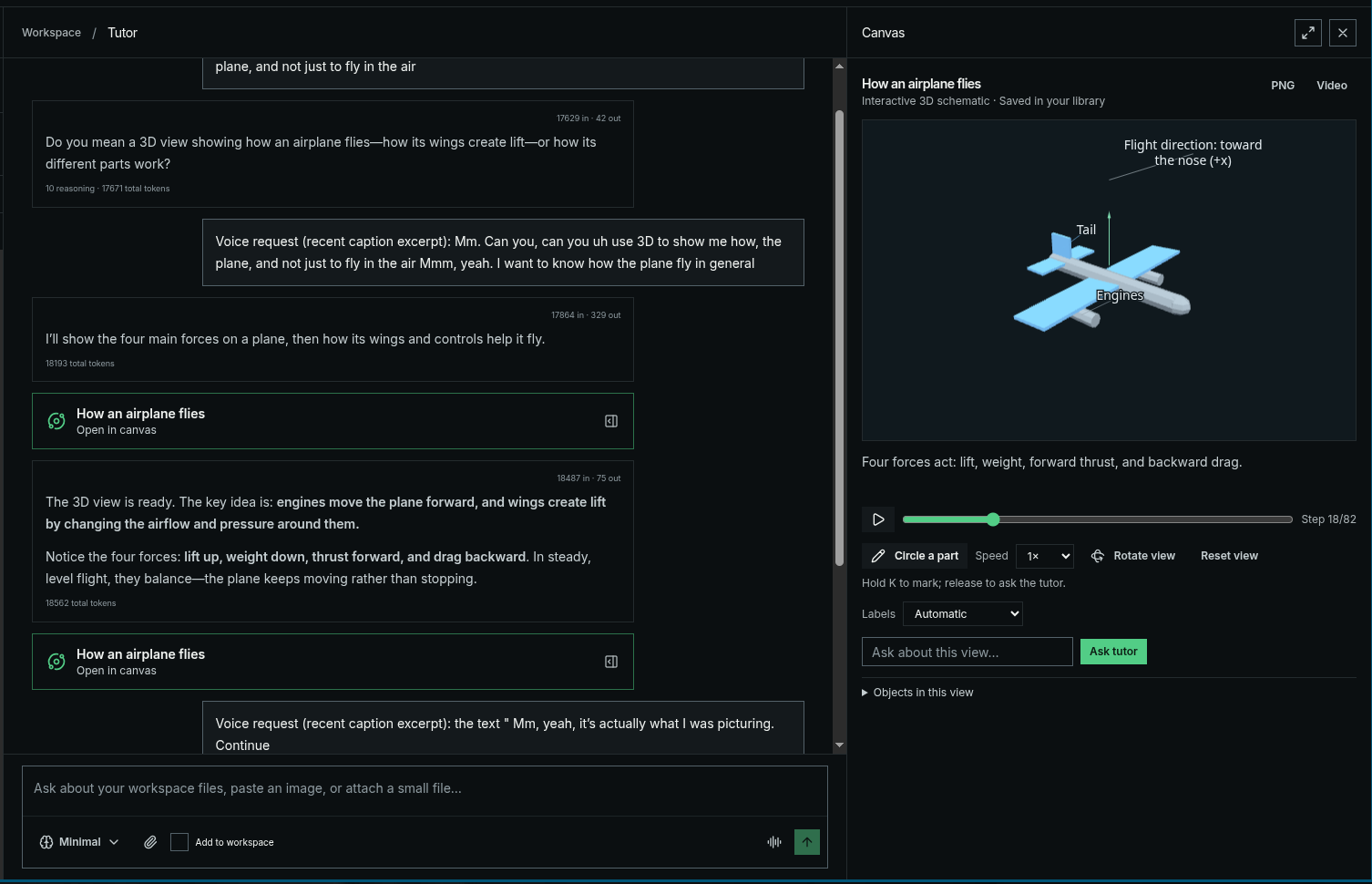
As the tutor talks, the canvas can draw the explanation. Shapes, labels, and connections appear as the lesson moves forward. You can pause, ask a question, and look more closely at a part that interests you.
Talk about what you can see
During a neural network lesson, the tutor can build up the nodes and connections one by one. If a connection is unclear, circle it and ask what it does. The tutor can use your mark and the current view to focus the explanation.
You can ask for another example, a slower explanation, or a closer look at one part. The drawing gives you something concrete to refer to while you talk.
Explore ideas in 3D
Ask how an airplane flies, and the tutor can use a simplified 3D airplane to explain the wings, engines, and forces involved. Rotate the view, zoom in, and ask about the part you are looking at.
That same approach can help with other subjects where shape and position matter. A diagram can show relationships, while a 3D scene gives you a way to explore how components fit together.
Kurio is built for adults learning independently, whether you are taking a course, developing a skill, or following your curiosity. Bring something you want to understand and start with a question.
Open Kurio to start a workspace, or see the available plans.